
Guide
How to make eye contact on video calls, even with notes
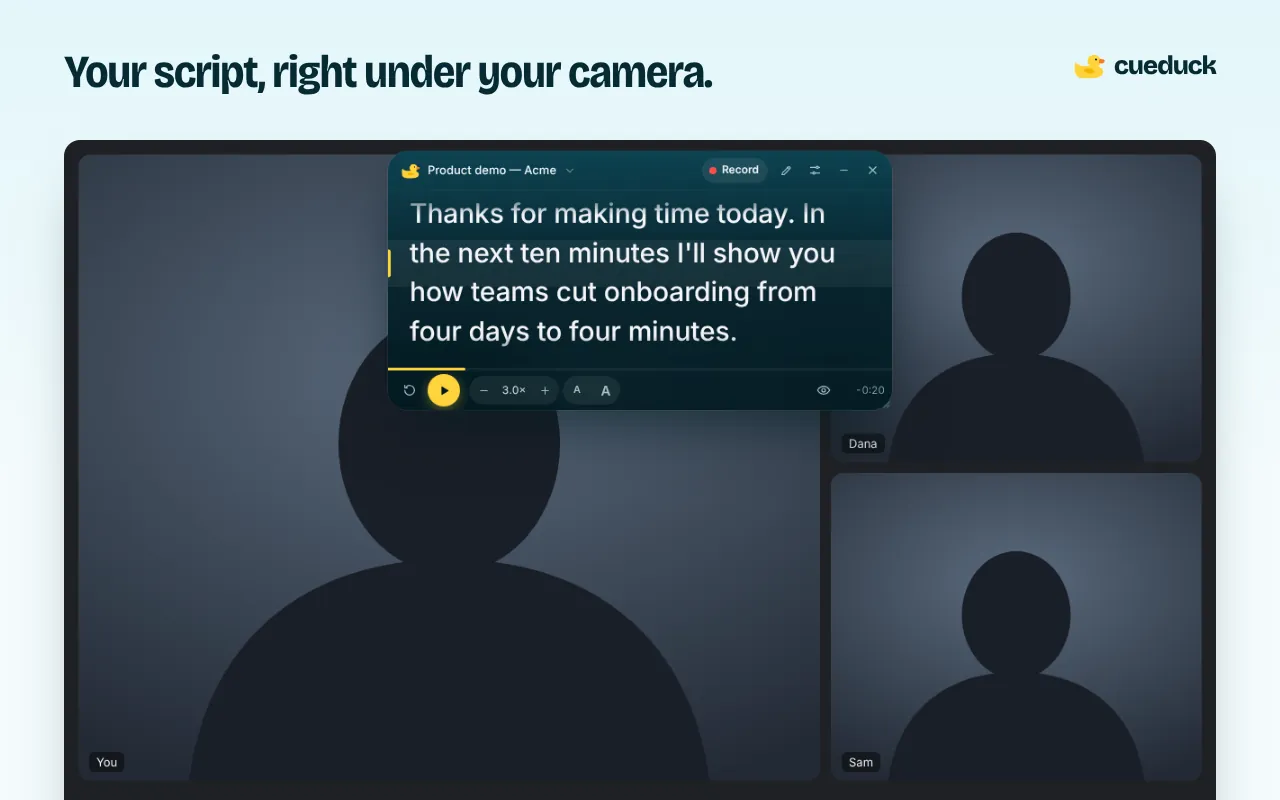
On a video call, eye contact means looking at the camera, not at people's faces. Raise the camera to eye level, put whatever you need to read right under it, and shrink the distance your eyes travel.
On your phone? The extension installs in Chrome on a computer. Try the recorder here, or open this page on your laptop.
Free · No account · Your scripts stay on your device
Why you look away on calls
Faces, slides and notes all sit below or beside the camera. Every time you look at them, the other person sees you looking down. The bigger the gap between the camera and what you're reading, the less eye contact you make.
Fix the setup first
- Camera at eye level: stack the laptop on books or use a stand.
- Video window near the top: drag the call window up, right under the camera.
- Light in front of you, not behind.
Put your notes where the camera is
A teleprompter under the webcam is the simplest way to read and keep eye contact. With cueduck in Chrome:
- Add cueduck to Chrome (free).
- On your call tab, click the duck and paste your notes.
- Drag it right under the camera and keep it narrow.
Let the text wait for you
Eye follow (Basic) uses your webcam, on your computer only, to notice when you look away. The script pauses and picks up when you look back, so you can glance at chat without losing your place.
Questions
How do I make eye contact on a video call when I need to read notes?
Look at the camera, not the faces on screen. Place your notes in a small window right under the webcam so your eyes barely move when you read; cueduck's floating prompter does this in Chrome.
Should I look at the camera or the screen on a video call?
Look at the camera when you're speaking and at the screen when you're listening. Notes under the camera let you do both.
Does Eye follow record my camera?
No. It processes the camera on your computer to detect where you're looking. Nothing is recorded or uploaded.
Does this work on a phone?
The extension is for desktop Chrome. On a phone, the cueduck web recorder shows your script under the front camera.