
Zoom
Teleprompter for Zoom: read your script without looking away
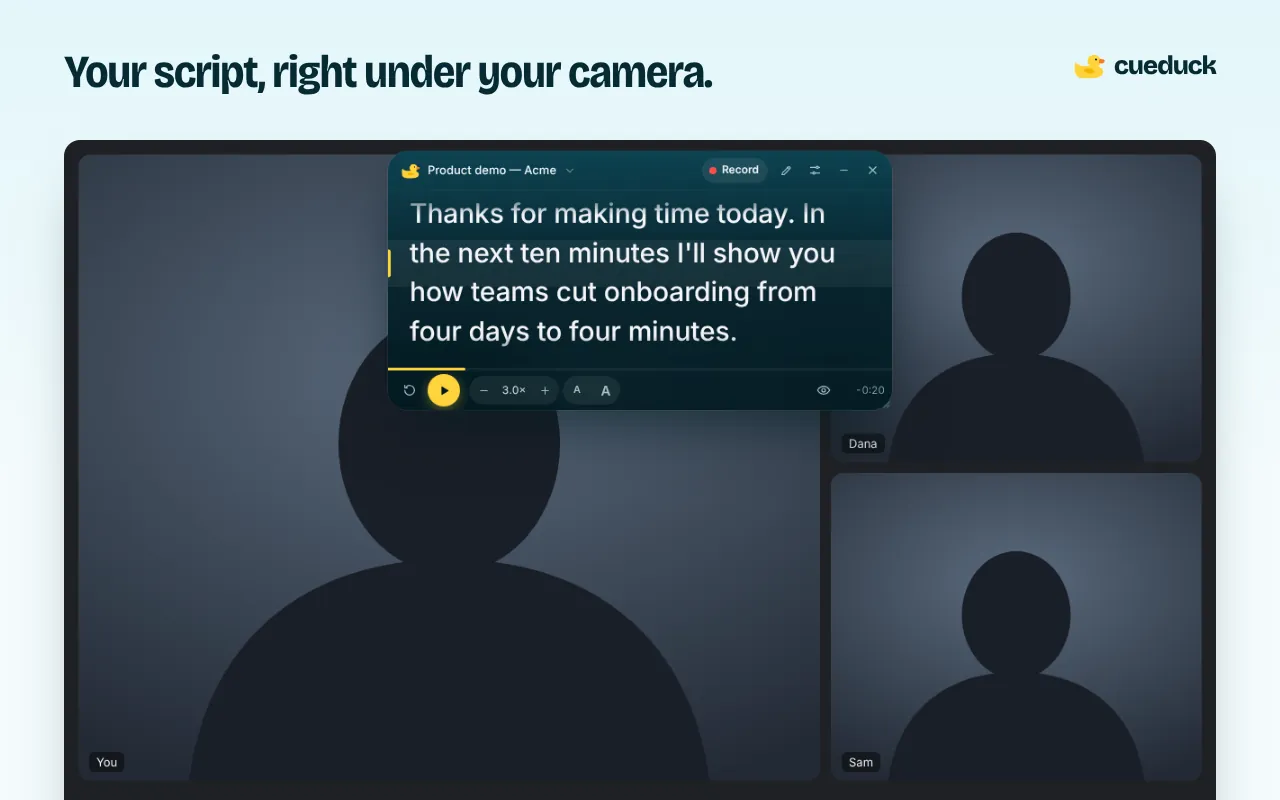
Run Zoom in Chrome, open cueduck on that tab and drag the script under your webcam. Your eyes stay next to the lens while you read, so it looks like you're talking to people, not reading to them.
On your phone? The extension installs in Chrome on a computer. Try the recorder here, or open this page on your laptop.
Free · No account · Your scripts stay on your device
Zoom in the browser vs the Zoom app
cueduck is a Chrome extension, so it works where web pages work: Zoom in the browser. To join that way, open the meeting link in Chrome and choose Join from your browser (Zoom sometimes shows that link only after you cancel the app download).
Zoom's desktop app isn't a web page, so the extension can't appear on top of it. If you must use the app, cueduck's pop-out window (Basic, in settings) floats in its own always-on-top window; try it in a test call first.
Set up your Zoom teleprompter
- Add cueduck to Chrome and join your Zoom call in the browser.
- Click the duck (or Alt+Shift+T) and paste your script.
- Drag it right under your webcam and make it narrow: 5–7 words per line keeps your eyes still.
- Press Space to scroll, or try voice scrolling (Basic).
When you share your screen
Share a specific window or tab (your slides or demo), not the Zoom tab and not the whole screen. cueduck lives on the Zoom tab, so your audience sees what you share and you keep your notes. If you share your entire screen, anything on it is visible, cueduck included.
Make it look natural on camera
- Raise your laptop so the camera is at eye level, then put the prompter just below it.
- Turn on Eye follow (Basic): when you look away to answer a question, the text waits for you.
- Rehearse once with the countdown on; record yourself in the web recorder to check your eye line.
Questions
How do I read a script on Zoom without looking down at my notes?
Use Zoom in the browser and a teleprompter extension like cueduck: it floats your script under your webcam on the Zoom tab, so you read while looking near the lens. If you share your screen, share a different window, not the Zoom tab with the script.
Can I use a teleprompter on Zoom without people noticing?
Yes: keep the text right under the camera so your eyes barely move, and don't share the tab, window or screen where it's showing.
Does it work with the Zoom desktop app?
The extension works with Zoom in the browser. For the desktop app, the pop-out window (Basic) floats over other apps; test it before an important call.
Does Zoom have a built-in teleprompter?
Zoom doesn't put a scrolling script under your camera. Many people use an external teleprompter like cueduck for that.
Will my script appear in the Zoom recording?
Only if you record a shared screen that shows it. Your camera video never includes it.