
Guide
How to read a script on camera without looking like you're reading
Put the words right under the lens, keep lines short, read slower than feels natural and write the way you talk. Those four changes do most of the work; the rest is practice.
On your phone? The extension installs in Chrome on a computer. Try the recorder here, or open this page on your laptop.
Free · No account · Your scripts stay on your device
1. Put the words next to the lens
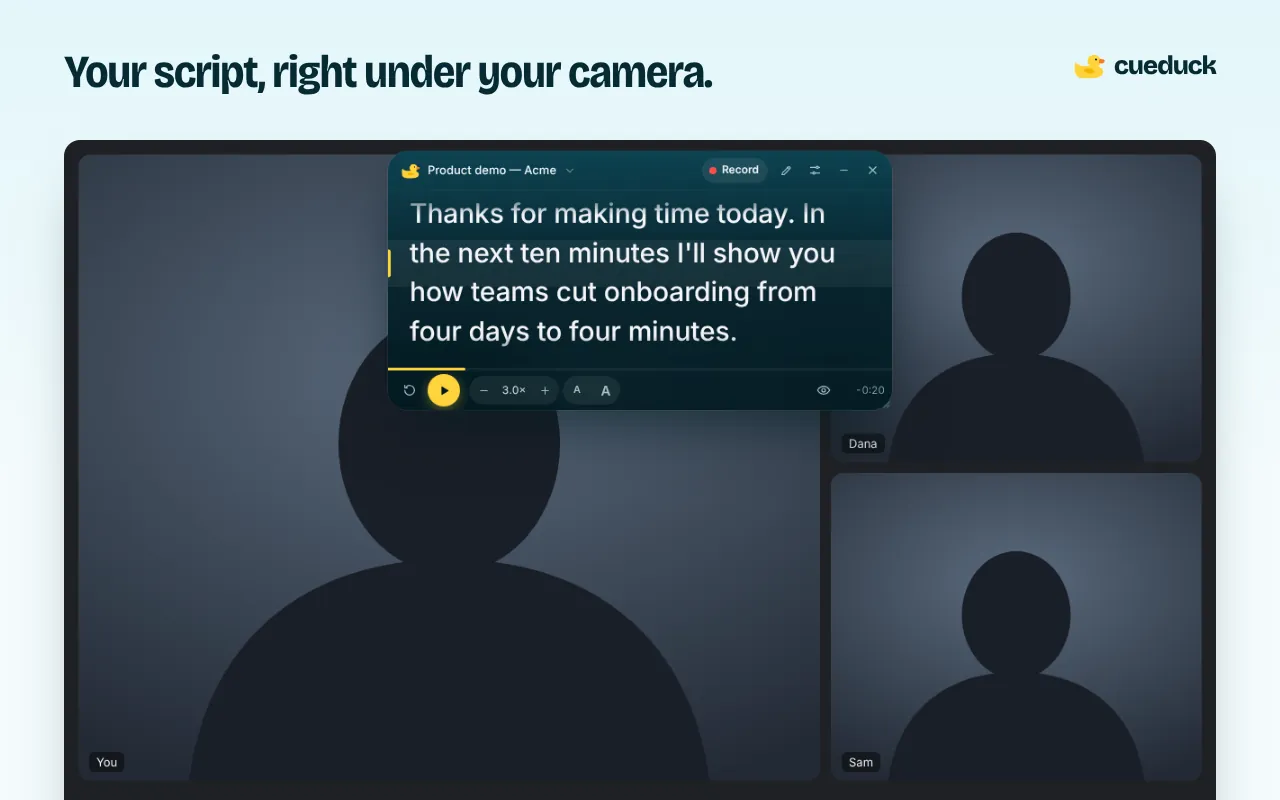
Viewers notice eye movement, not the script. The further your text is from the camera, the more your eyes travel, and the more it looks like reading. Keep the text a few centimetres under the webcam. That's the idea behind cueduck: the prompter hangs right under the camera.
2. Keep lines short
Narrow the window to 5–7 words per line. Long lines make your eyes sweep left to right, which is the classic "reading" look. Short lines let you read with tiny movements.
3. Write how you speak
Read your script out loud once and fix anything you wouldn't say: long sentences, formal words, lists of numbers. Contractions ("we're", "it's") sound human.
4. Slow the scroll down
Most people set the speed too fast and end up chasing the text. Start slower, then speed up. With voice scrolling (Basic), cueduck follows your pace instead.
5. Mark pauses and emphasis
Add [pause], [smile] or [slow] as stage directions, and split the script into # sections. You'll sound like you're thinking, not reading.
6. Look away on purpose
Natural speakers glance away now and then. With Eye follow (Basic), the text waits when you look away and continues when you look back.
7. Rehearse once on video
Record one take in the web recorder and watch it with the sound off. If your eyes look steady, you're ready. The script never appears in that video.
Questions
How do I read a script on camera without looking like I'm reading?
Put the text as close to the lens as you can, write it the way you talk, set the scroll a bit slower than feels natural and look up at the end of each idea. A teleprompter under your webcam, like cueduck, handles the first part.
Is it obvious when someone reads from a teleprompter?
It's obvious when the eyes travel far or sweep across long lines. Text close to the lens with short lines is hard to spot.
Should I memorise instead?
For short clips, maybe. For anything over a minute, a well-placed script is faster and more consistent.
What's the best free teleprompter for this?
For calls and Loom in Chrome, the cueduck extension; for recording a video file on a phone or laptop, the cueduck web recorder.