
Online teleprompter
A free online teleprompter that records you, not your script
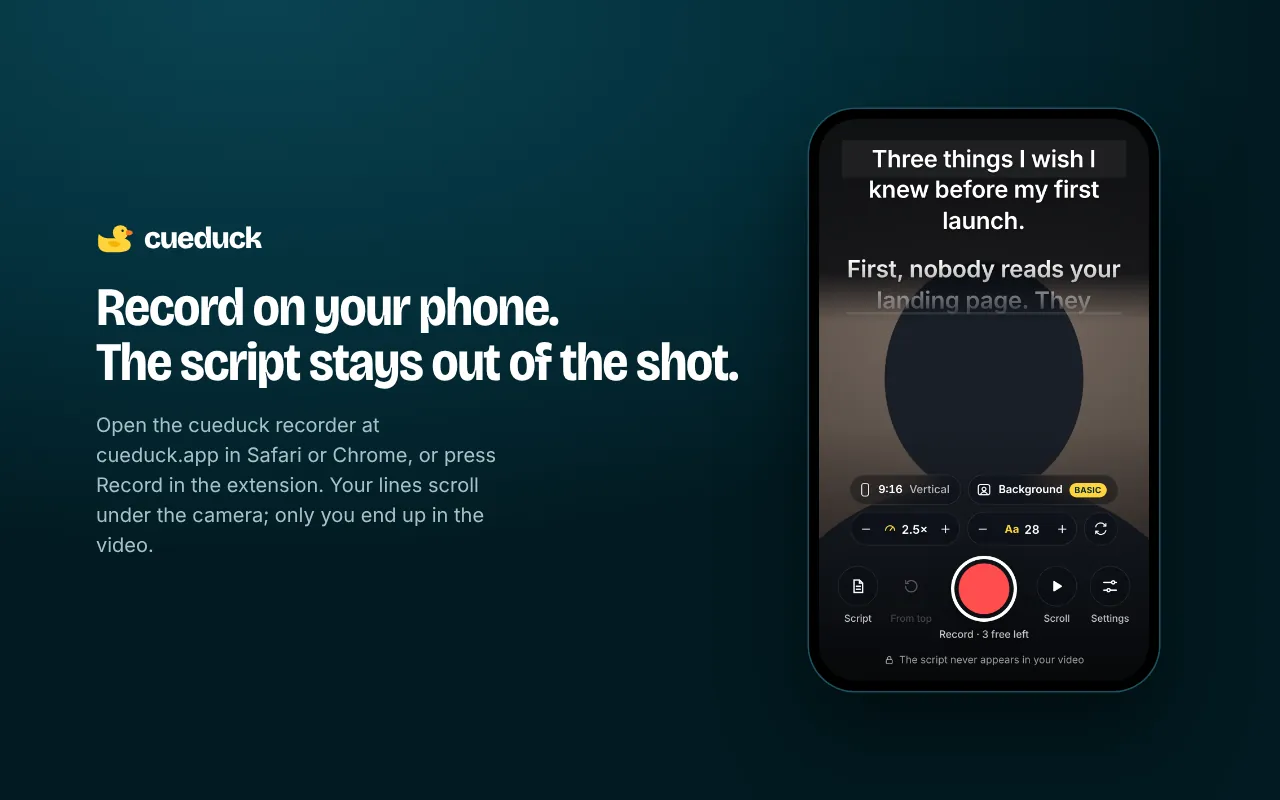
Open the cueduck recorder in Safari or Chrome, paste your script and press record. The text scrolls right under your camera while you speak, and the video you save is just you.
Free · No account · Your scripts stay on your device
Why record with a teleprompter in the browser
- No app to install: it runs in your phone's or laptop's browser.
- The script never shows in the video. You see it; the recording doesn't.
- Sizes for every network: 9:16 for TikTok, Reels and Shorts, 16:9 for YouTube, 4:5 and 1:1 for Instagram and LinkedIn.
- Retake in one tap from the top of the script.
How to record with the online teleprompter
- Open cueduck.app/app and allow the camera and microphone.
- Paste your script and set the speed and text size.
- Choose a size (TikTok, YouTube, LinkedIn…), press record and read.
- Save the video to your phone or computer. Your last takes are also kept on your device.
Free and Basic
cueduck is free forever: the Chrome extension keeps 1 saved script with speed, text size, mirror mode and shortcuts, and the web recorder gives you 3 free videos. cueduck Basic ($9/month or $86/year) unlocks unlimited scripts, voice scrolling, Eye follow, unlimited recordings and virtual backgrounds. Your recordings are made in your browser and are never uploaded to cueduck.
Recording on a laptop during calls?
For live calls and Loom, use the Chrome extension: it floats on top of Google Meet, Zoom on the web or Loom.
Questions
Is there a free online teleprompter that records video in the browser?
Yes. The cueduck web recorder at cueduck.app/app scrolls your script under the camera and records you in the browser on a phone or laptop. The script never appears in the video, and your first 3 videos are free with no account.
Is this online teleprompter free?
Yes: your first 3 recordings are free with no account. Basic unlocks unlimited recordings and virtual backgrounds.
Does the script appear in my video?
No. The script is shown on your screen only; the saved video is your camera.
Does it work on iPhone?
It runs in Safari and Chrome on phones. Video formats depend on the browser (MP4 or WebM).
Are my videos uploaded?
No. Recordings are created in your browser and stay on your device until you save or share them.