
Vertical video
Teleprompter for TikTok, Reels and Shorts, no app needed
Open cueduck on your phone, pick the TikTok, Reels or Shorts size and record. Your script scrolls right under the front camera, so you look into the lens and nail the hook on the first take.
Free · No account · Your scripts stay on your device
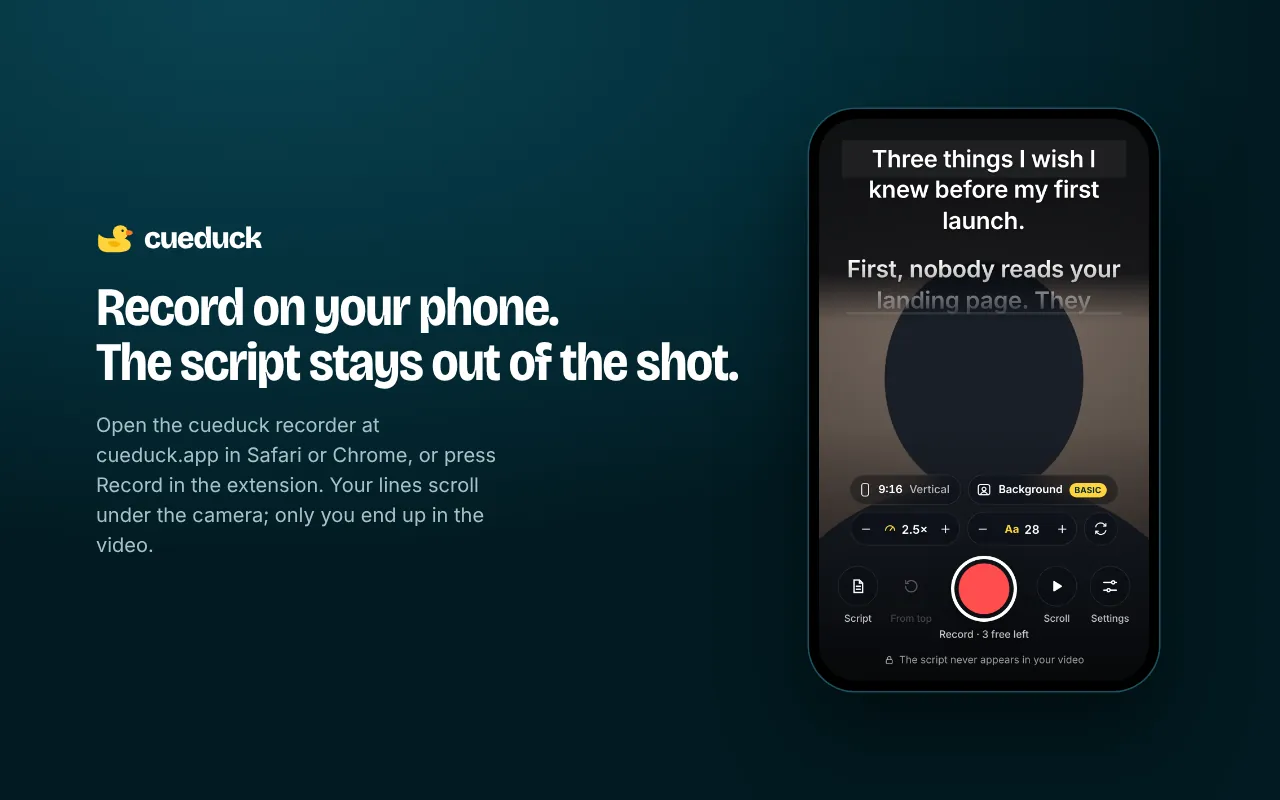
Made for short vertical videos
- 9:16 presets for TikTok, Instagram Reels, Stories and YouTube Shorts.
- Script under the front camera, big and readable at arm's length.
- Retake from the top in one tap, so you can try three hooks in a minute.
- Virtual backgrounds (Basic): blur your room or use a clean colour.
Record your first one
- Open cueduck.app/app on your phone (Safari or Chrome).
- Tap Size and choose TikTok, Reels or Shorts.
- Paste your script, set the speed, hold the phone at eye level and record.
- Save to your phone and post from the app as usual.
Script tips for short videos
- Put the hook in the first line and keep it under 10 words.
- One idea per line; short lines are easier to read near the lens.
- Write how you talk. Read it out loud once before recording.
Free and Basic
cueduck is free forever: the Chrome extension keeps 1 saved script with speed, text size, mirror mode and shortcuts, and the web recorder gives you 3 free videos. cueduck Basic ($9/month or $86/year) unlocks unlimited scripts, voice scrolling, Eye follow, unlimited recordings and virtual backgrounds.
Questions
How do I read a script while filming TikToks or Reels without looking like I'm reading?
Keep the script as close to the lens as possible and scroll it at your speaking pace. The cueduck web recorder does this in your phone's browser: the script scrolls at the top, right under the front camera, and records a vertical video without the text in it.
Do I need to download an app?
No. cueduck runs in your phone's browser.
Does the script show in my TikTok?
No. The saved video is your camera only.
Can I use it on a laptop?
Yes, the recorder also works in a laptop browser, with 16:9, 1:1 and other sizes.