
Chrome extension
The teleprompter Chrome extension that sits under your camera
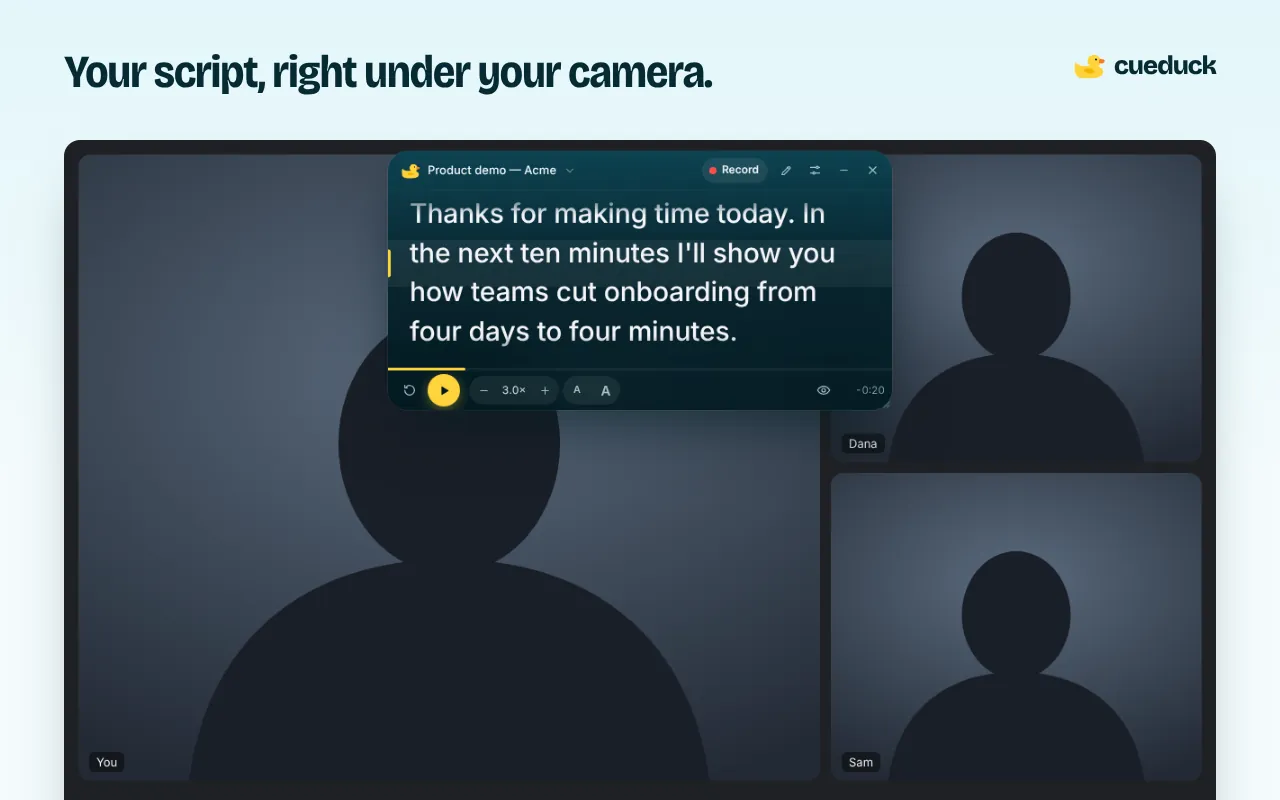
cueduck puts your script in a small floating window right under your webcam, on top of the tab you're calling or recording from. Your eyes stay next to the lens, so you read every word and still look at people.
On your phone? The extension installs in Chrome on a computer. Try the recorder here, or open this page on your laptop.
Free · No account · Your scripts stay on your device
Why a teleprompter extension beats a second app
Desktop teleprompter apps open a separate window you have to arrange around your call. A browser teleprompter lives where the call already is: in the Chrome tab with Google Meet, Zoom on the web or Loom. Click the duck (or press Alt+Shift+T) and the prompter appears on that tab, ready to drag under your camera.
Nothing to install outside Chrome, no account, and your scripts are saved in your browser as you type.
What you get
- Floating prompter you can drag right under your camera and resize.
- Smooth scrolling with a speed dial and a countdown.
- Big, adjustable text, line spacing, alignment and a reading line.
- Keyboard control: Space to play or pause, arrows to nudge, [ ] for speed.
- Voice scrolling (Basic): press the mic and the text follows your voice.
- Eye follow (Basic): the text waits when you look away. The camera is processed on your computer and never recorded or uploaded.
- Mirror mode for glass teleprompter rigs.
Set it up in a minute
- Add cueduck to Chrome. It only asks to run on the tab you click it on, not on every website.
- Open your call or recorder tab and click the duck in the toolbar.
- Paste your script, drag the window under your camera and press Space.
Good to know
cueduck runs inside the page, so it shows up if you share that tab, its window or your whole screen. Share a different tab or window and it stays private to you. It works in desktop Chrome; on a phone, use the web recorder instead. It can't run on Chrome's own pages (chrome://, the Chrome Web Store) or inside PDFs.
Questions
What is the best free teleprompter extension for Chrome?
cueduck is a free teleprompter Chrome extension that floats your script in a small window right under your webcam, on top of the tab you are calling or recording from. The free plan keeps one script with speed, size, mirror mode and shortcuts; no account needed.
How do I use a teleprompter on my laptop while on a video call?
Add a browser teleprompter like cueduck to Chrome, open your call tab, click the duck, paste your script and drag the window just under your camera. Press Space to scroll. Your eyes stay near the lens, so you read without looking down.
Is the cueduck teleprompter extension free?
Yes, there is a free-forever plan with no account: one saved script with speed, text size, mirror mode and keyboard shortcuts. Basic ($9/month or $86/year) adds unlimited scripts, voice scrolling and Eye follow.
Does it work with Google Meet, Zoom and Loom?
Yes, on the web: Google Meet, Zoom in the browser and Loom in Chrome. Zoom's desktop app isn't a web page, so use Zoom in the browser.
Can other people see my script?
Not on your camera. They can see it only if you share the tab, window or screen where cueduck is showing.
Where are my scripts stored?
In your browser on your computer. cueduck has no account and doesn't upload your scripts.