
Google Meet
A teleprompter for Google Meet that keeps your eyes on the camera
Open your Meet call in Chrome, click cueduck and drag the script right under your webcam. You read your talking points while looking at the camera, and nobody sees the script on your video.
On your phone? The extension installs in Chrome on a computer. Try the recorder here, or open this page on your laptop.
Free · No account · Your scripts stay on your device
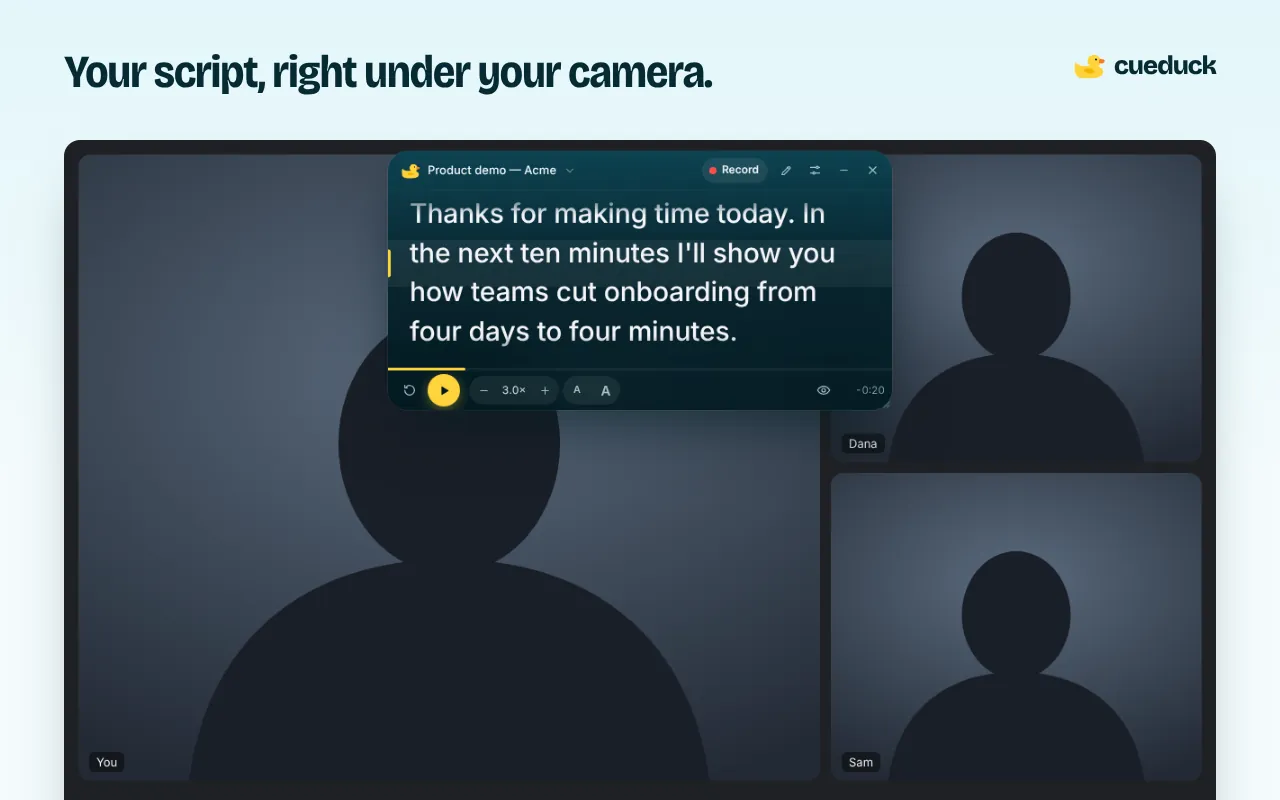
Why reading notes on Meet looks obvious
On a call, your eyes are the giveaway. Notes in another window or on paper pull your gaze down or to the side, and on camera that reads as distracted or nervous. The fix is distance: the closer the words are to the lens, the more it looks like eye contact.
cueduck puts the text a few centimetres under your webcam, a line at a time, so your eyes barely move.
How to use a teleprompter in Google Meet
- Add cueduck to Chrome (free, no account).
- Join your Meet call and click the duck, or press Alt+Shift+T.
- Paste your notes, drag the window to the top centre of the screen, under the camera, and keep it narrow so your eyes move less.
- Scroll your way: Space to play or pause, or turn on voice scrolling (Basic) so the text follows you as you speak.
Presenting while you read
When you present in Meet, choose a tab or a window other than the Meet tab, for example your slides. cueduck stays on the Meet tab, so the audience sees your slides and you still see your notes. If you present your entire screen, everything on it is shared, including cueduck.
Tips for sounding natural
- Write bullet points, not paragraphs, for meetings; full sentences for recorded intros.
- Use section cues like
# Pricingand stage directions like[pause]to keep your place. - Keep the speed slower than you think. It's easier to speed up than to catch up.
Questions
How can I read notes during a Google Meet call without people noticing?
Put your notes right under your webcam with a teleprompter extension like cueduck. It floats inside the Meet tab, so your eyes stay close to the camera. Don't share that same tab or your whole screen, or the notes will show.
Can people on the call see my teleprompter?
No, it isn't on your camera. They'd only see it if you present the Meet tab, its window or your whole screen.
Does Google Meet have a built-in teleprompter?
Not for reading a script under your camera. Speaker notes in Google Slides are in a separate window, which pulls your eyes away.
Do I need to install anything else?
No. cueduck is a Chrome extension; it works in the Meet tab in desktop Chrome.
Is it OK to read from a script in meetings?
For prepared parts (an intro, a demo, a pitch) it's common practice. For conversations, use short bullet points so you stay responsive.